FileSystem abstraction
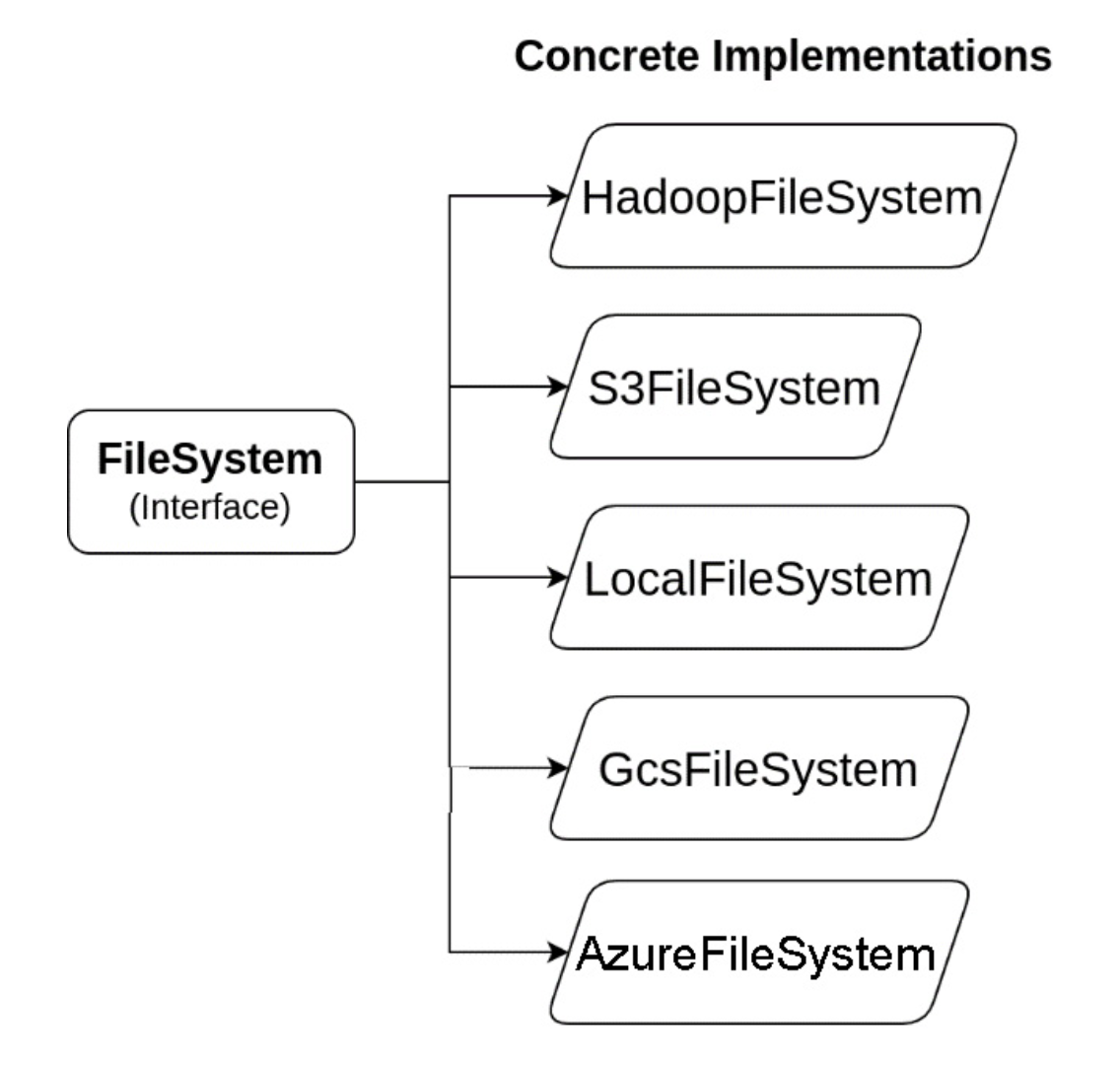
PyArrow provides multiple filesystems that abstract away multiple operations:
- create_dir: Create directories or subdirectories
- delete_dir: Delete a directory and its contents recursively
- delete_dir_contents: Delete a directory’s contents recursively
- copy_file, delete_file: Copy or delete a specific file by path
- open_input_file: Open a file for random-access reading
- open_input_stream: Open a file for only sequential reading
- open_append_stream: Open an output stream for appending data
- open_output_stream: Open an output stream for sequential writing
Opening files or streams produces what’s referred to as a file-like object, which can be used with any functions that work with such objects, regardless of the underlying storage or location. File-based operations work both with a full path or a file-like object
Working with formats
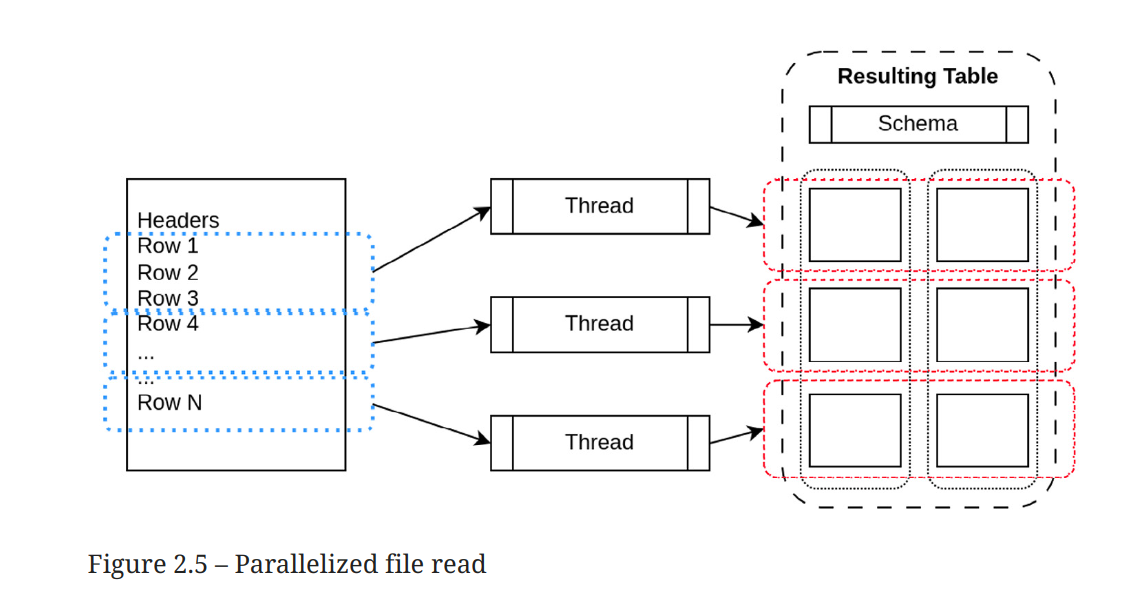
Reading a CSV returns an object of the pyarrow.Table type that contains a list of pyarrow.lib.chunkedArray. Groups of row can be read in parallel, building chunked columns without having to copy data like in the diagram below:
The pyarrow.csv.read_csv function supports three type of options:
- ReadOptions: they allow to configure parallel reading, block size, column names, encoding
- ParseOptions: they allow to configure CSV delimiters and escape characters
- ConvertOptions: which strings are converted to true, false, type convertions, etc
write_csv on the other side have fewer options: whether to include the header, the batch size to us, and the delimiter/quoting style. read_json is similar to read_csv excepts there is no ConvertOptions and no write_json. ORC file are read via a special syntax of=pyarrow.orc.ORCFile('train.orc') while parquet with a pyarrow.parquet.read_table
Pandas and Arrow
Arrow provide the useful pyarrow.Table.from_pandas and table.to_pandas. The from_pandas version supports preserve_index.
- The default value
Nonemeans index information is stored in the PyArrow Table Metadata and not used, but the information is not lost and if the Table is converted back to Pandas DataFrame, the index will be created. - Using True will create Arrow columns for the index data
It is not possible to convert all Arrow tables to pandas DataFrame: for example, Arrow support arbitrary nested columns and Arrow arrays can contain null regardless of their type, while only certain types in Pandas support it.
Nullable int
Integers are not nullable in Pandas, but float they are. Therefore when converting from arrow to Pandas if there are null, integers are converted into float
Performance and conversions
Reading a CSV via pyarrow and converting it to pandas is 80% faster than reading the CSV in Pandas directly. For other formats, such a comparison doesn’t make sense since Pandas effectively delegate to Arrow (for Parquet and Orc)
Zero-copy, split blocks and self destruct
It is possible to further accelerate the conversion from Arrow to pandas by setting zero_copy_only=True. However, if the conversion is impossible anArrowException will be raised:
- No null values
- If the data is chunked, it must be a single chunk
The split_blocks and self_destruct helps limit potential copy during conversion without taking a full all/none approach that zero_copy_only provides. Pandas BlocK Manager is the object that handles memory allocation and tries to collect column of the same type in 2-dimensional numpy because it speeds computation up
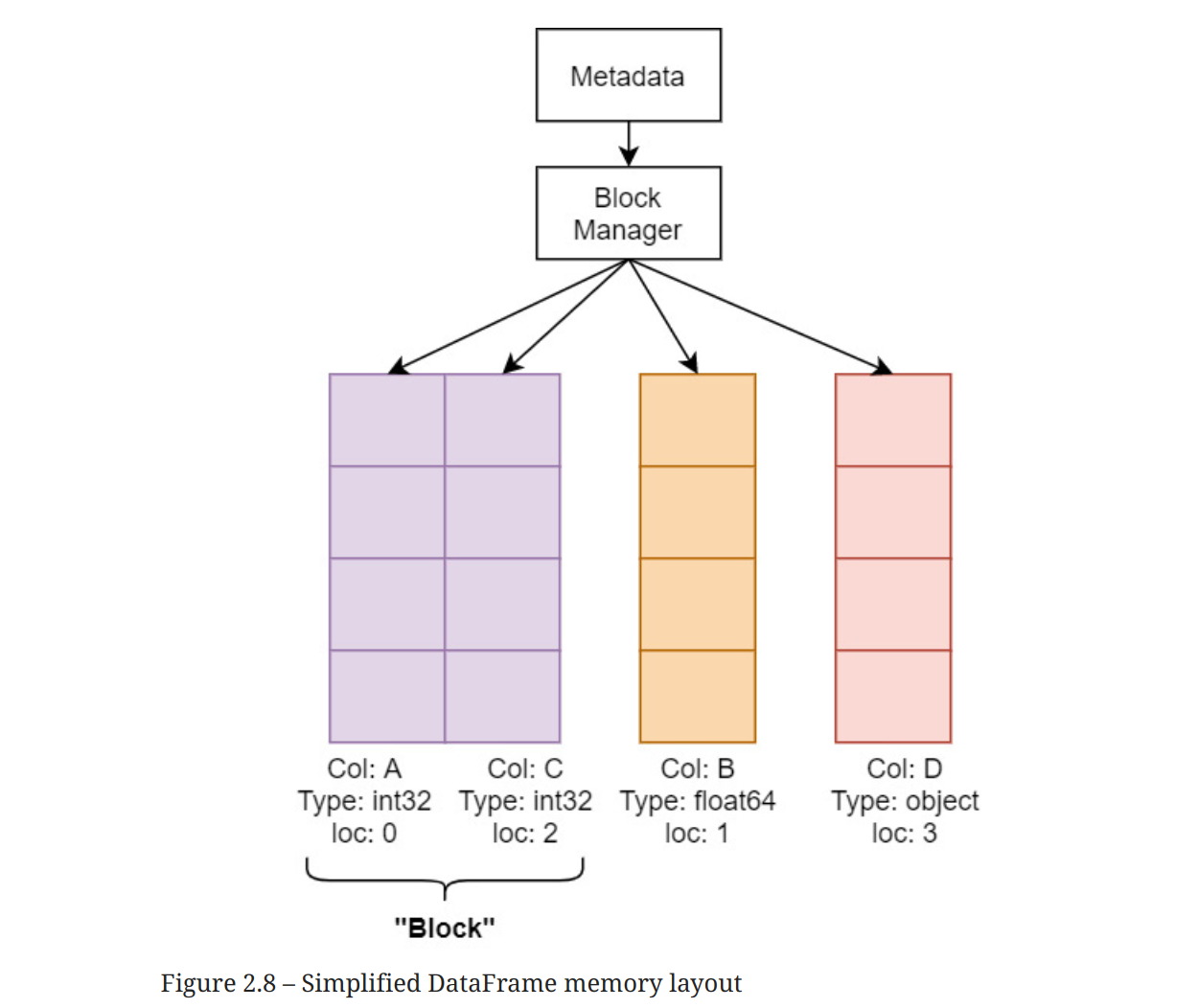 The Block Manager will copy data internally if you are gradually building a DataFrame, trying to consolidate columns into blocks. PyArrow tries to construct exact consolidated blocks that would be expected so that pandas won’t perform extra allocations, but the data needs to be copied once from Arrow doubling peak-memory usage.
 split_blocks option instruct PyArrow to produce a single block per column when set to True.
Normally, when you copy data, you end up with two copies in memory until the variable goes out of scope and the Python garbage collector cleans it up. Using the self_destruct option will blow up the internal Arrow buffers one by one as each column is converted for pandas. This has the potential of releasing the memory back to your operating system as soon as an individual column is converted. The key thing to remember about this is that your Table object will no longer be safe to use after the conversion, and trying to call a method on it will crash your Python process.
Polars and Arrow
Polars is a DataFrame library written in Rust and apart from CategoricalType, columns in Polars are zero-copy converted to Arrow. Essentially, it just shifts pointers around and reuses the same memory!
Polars also has data types that correspond to the Arrow data types, not only primitive types but also nested types such as Struct and List. For the types that utilize offsets (List, String, Binary), Polars always uses the Large (or 64-bit offset) variants. This means that conversion from the 32-bit offset variants will perform a copy and cast of the offsets to 64-bit values.
Performance wise, Polars and PyArrow are equivalent or very close.
PyArrow FFI
A typical way of interacting with other programming languages using the Arrow C data interface in PyArrow is to rely on cffi which is used by pyarrow to implement the C data aPI
import pyarrow as pa
from pyarrow.cffi import ffi

ffi.cdef("void export_int32_data(
    struct ArrowArray*);")
# the c library we are invoking
lib = ffi.dlopen("./libsample.so")
# invoking C native code
c_arr = ffi.new("struct ArrowArray*")
c_ptr = int(ffi.cast("uintptr_t", c_arr))

lib.export_int32_data(c_arr)
arrnew = pa.Array._import_from_c(c_ptr, pa.int32())
# do stuff with the array
del arrnew # will call the release callback
           # once it is garbage collecteda